
PlanCustom · Public · Generated
Complete feature guide / 04
One place to plan,
One place to plan,
perform and progress.
Mythra connects the work before, during and after training. Build the plan, record the session, track the route and turn the result into history you can use.
- 01
- Prepare
- 02
- Train
- 03
- Understand
MYTHRAYour training system
GymSets · Reps · Load · Rest
RoutesDistance · Pace · Duration
ProgressRecords · Reports · Trends
01 / The complete systemEvery tool has a job.
Every tool has a job.
Every result has somewhere to go.
Use only what fits your training. Each capability works independently, but the value compounds when plans, sessions, routes and reports share one history.
01GYM
Live workout logging
Record sets, repetitions, load and rest without leaving the active session.
Explore ↓ 02PLANSBuild the work before it begins
Create, save, discover and generate structured workouts.
Explore ↓ 03OUTDOORSRun and walk routes
Capture GPS routes with pace, distance and duration.
Explore ↓ 04INSIGHTSRecords and reports
Read personal bests, training history and consistency.
Explore ↓ 05HEALTHApple Health context
Optionally bring steps, energy and body measurements into view.
Explore ↓ 06CONTROLBackup, privacy and account controls
Protect a backup with client-side encryption, manage consent and delete the account in-app.
Explore ↓02 / Gym trainingEverything you need during a set.
Everything you need during a set.
Nothing that breaks your focus.
Start from a plan or an empty session. The active workout keeps previous performance, editable set fields, the rest timer and session progress together.
ACTIVE SESSIONUpper strength
01Bench pressChest · Barbell
IN PROGRESSSETPREVIOUSKGREPS
175 × 8808✓
280 × 8808✓
380 × 782.57→
REST TIMER01:24of 01:30
Finish sessionPlans become sessions
Open a saved, public or generated plan and begin with its exercises already organized.
Previous work stays visible
Use the last recorded set as context while entering today’s load and repetitions.
Rest without losing your place
Keep recovery time and the next working set inside the same active sheet.
Finish once, update everything
Completed work feeds records, reports, graph history and the consistency matrix.
Track repetition-based and load-based movements with editable working sets.
Identify meaningful new performance after a completed session.
Keep useful instructions and movement details close to the exercise.
Create movements when the built-in database does not match your training.
03 / Planning and generation
01
02
03
See the generation architecture →
Build manually—or let Mythra assemble the structure.
Create a plan exercise by exercise, save a public plan, or request a workout using your goal, duration, equipment, target muscles and sore areas.
Custom plans
Choose the exercises, order and structure yourself.
Public plans
Browse and save plans made available to the Mythra community.
Generated workouts
Use the on-device rules engine or opt into AI personalization.
WORKOUT BUILDERChoose how Mythra builds
✦AI Agent PERSONALIZED
The safe local plan receives optional Gemini ordering, naming and coaching cues.
10 Free · 150 paid per allowance periodRules-based Generator
The complete workout is assembled privately on your iPhone from Mythra’s exercise database.
Unlimited · works offlineGOALDIFFICULTY10–120 MINMUSCLESSORE AREASEQUIPMENT
Both options apply the same local eligibility and safety constraints before you review the workout.
04 / Run and walk
Take the same training history outside.
Start an outdoor activity when you intend to track it. Mythra uses precise location during the session to draw the route and calculate useful performance metrics.
OUTDOOR RUNLekki · Lagos
Route complete
Completed activity
Evening run
- DISTANCE
- 7.50 km
- AVG PACE
- 3:52 /km
- DURATION
- 29:02
- ACTIVITY
- Run
Illustrative route and sample metrics. Live values depend on the recorded activity and location signal.
LOCATION BOUNDARY
Foreground and background location support an active route. Mythra does not describe location access as unrelated, continuous tracking.
Read the Privacy Policy →05 / Progress and reports
Move from a completed session to a visible pattern.
Mythra keeps the detailed record, then offers several ways to zoom out: personal bests, monthly summaries, graph history, measurements and consistency.
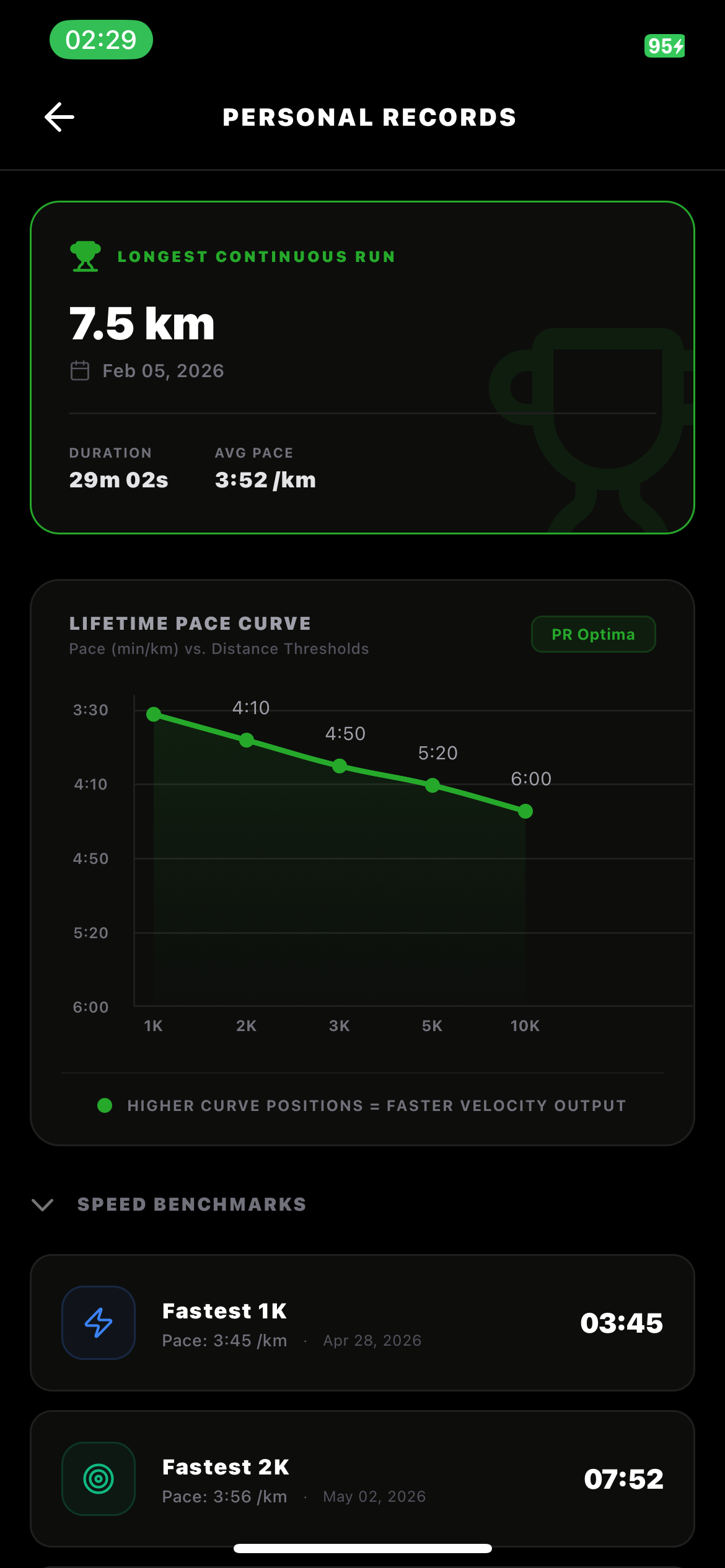
Review recorded bests and the curve around them instead of treating one number as the whole story.
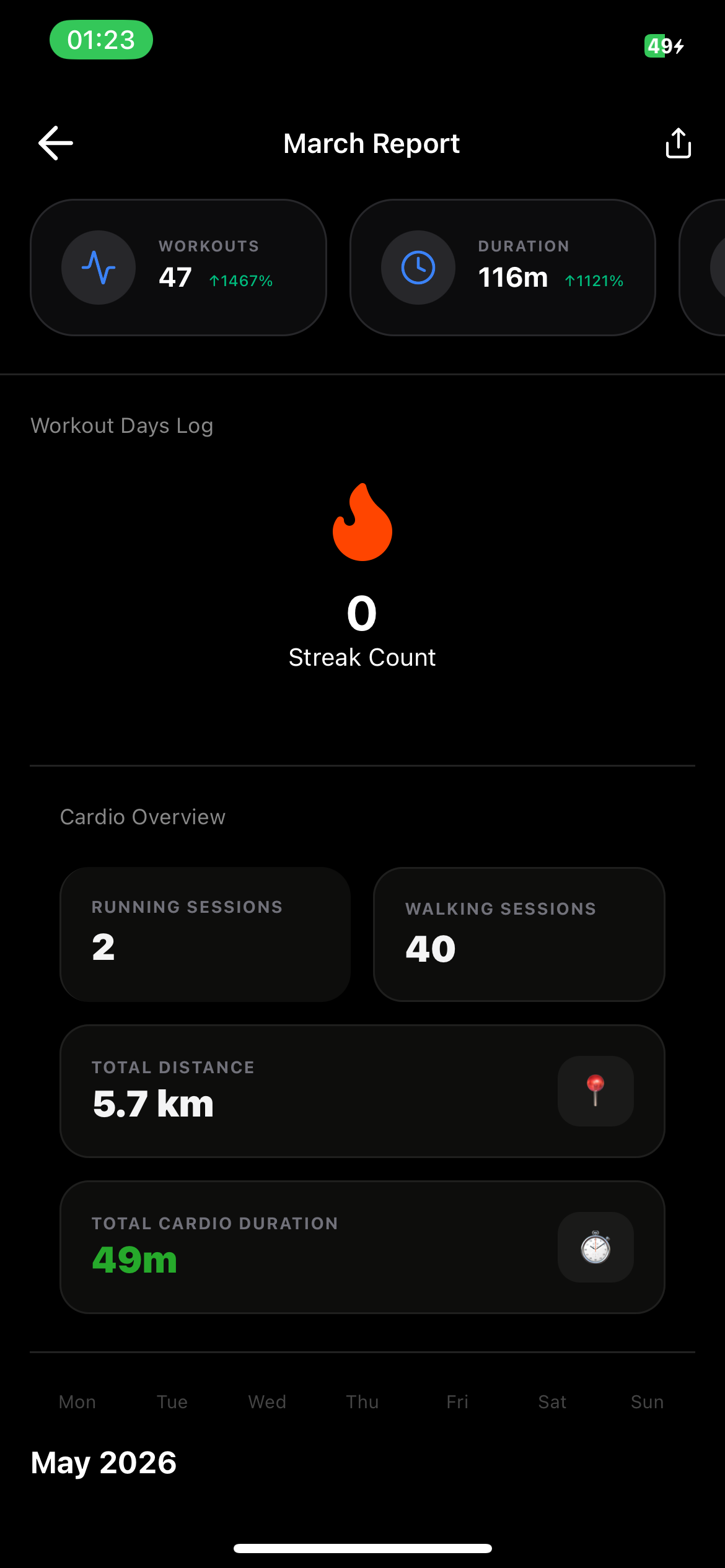
Use period summaries to understand completed workouts, activity and the direction of training.
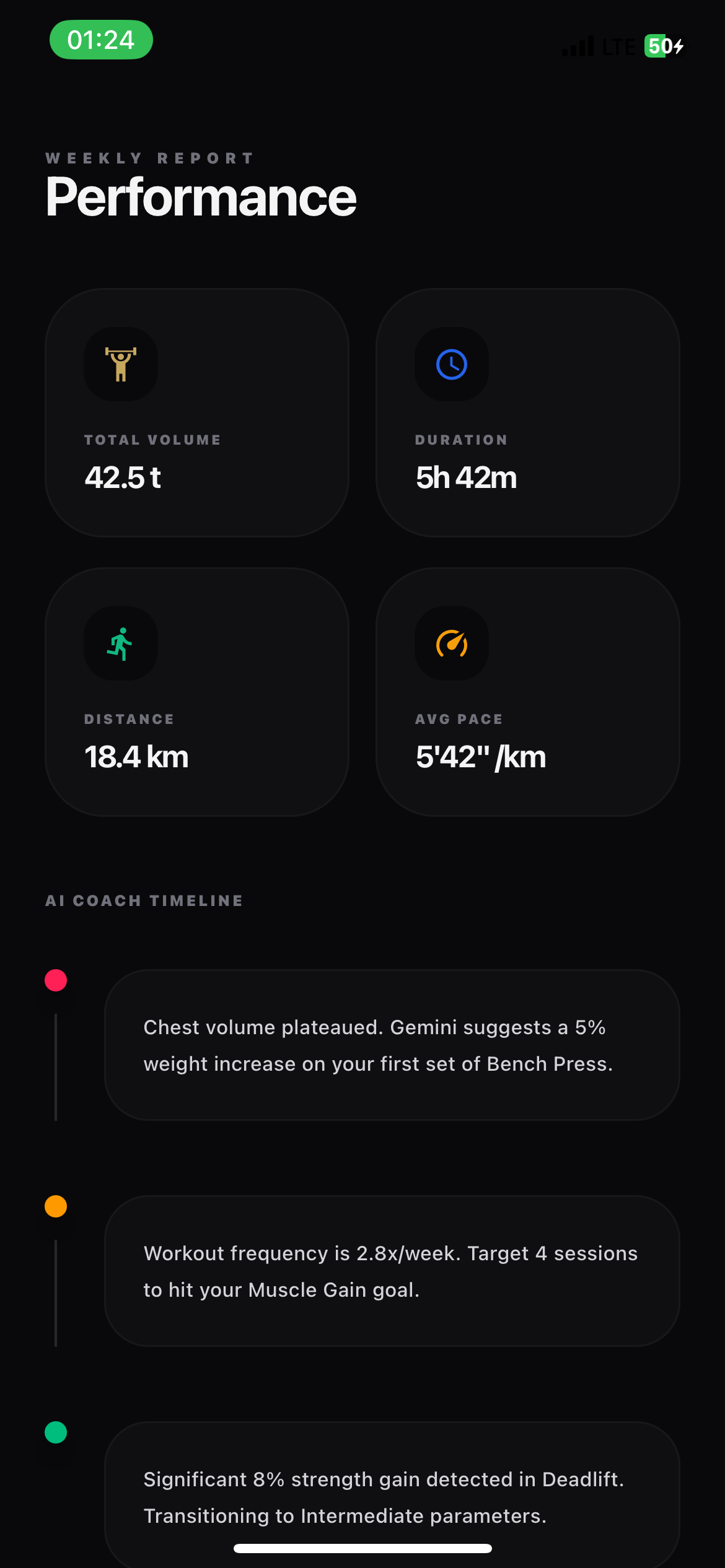
When available for the plan, request cloud-generated observations after seeing what data will be processed.
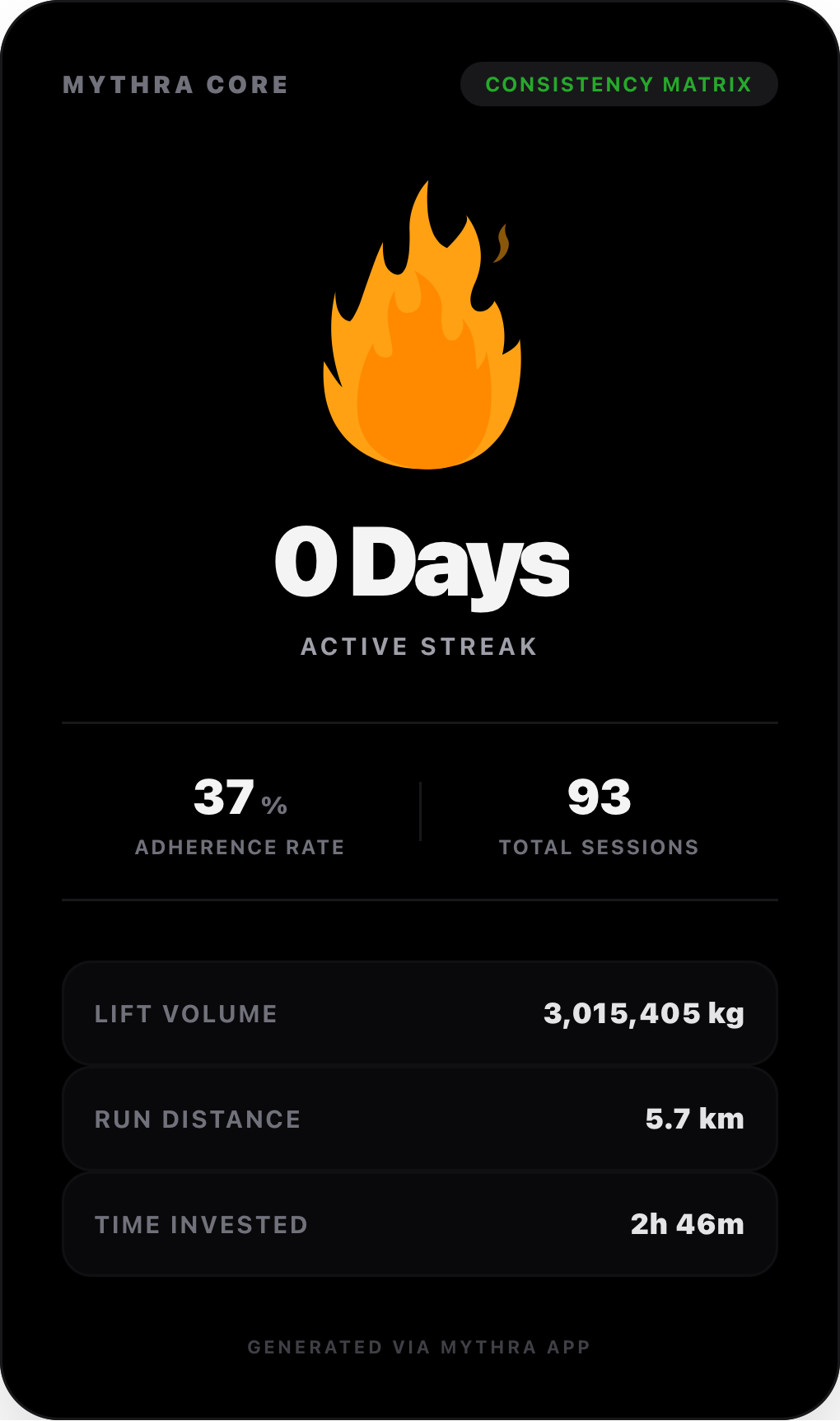
Consistency matrix
Make frequency visible without turning it into judgment.
See how completed training distributes across time and use the pattern as context for the next decision.
06 / Health, backup and control
Useful access should remain understandable and reversible.
Health context, cloud backup and AI processing are distinct capabilities with distinct permission and security boundaries.
Optional, read-only context.
With permission, Mythra can read steps, active energy, height and body mass. Mythra does not write data to Apple Health, and raw Health records are not intentionally sent to Gemini.
Manage access in iOS SettingsEncrypted before upload.
A backup can be encrypted on your iPhone with the password you choose before it reaches cloud storage. Mythra cannot inspect that encrypted backup or recover a forgotten backup password.
Restore requires the correct backup passwordPermission that you can revisit.
Decline optional AI processing, revoke future AI consent, manage system permissions, or permanently delete your Mythra account and associated app data from Privacy & Security.
Deleting the account does not cancel an Apple subscriptionFeature accessStart with the system.
Start with the system.
Expand the limits.
Core training works on Free. Pro and Lifetime expand plan, exercise, history, measurement and AI-generation limits.
AI Agent generations per calendar month
Rules-based generation remains unlimitedAI Agent generations per allowance period
Monthly, yearly and lifetime optionsOne connected training historyChoose the work.
Choose the work.
Keep the evidence.
Build a plan, complete the session and let the result make the next training decision clearer.
Download on theApp Store